Getting Started
🚀
Quickstart
1️⃣
Sign Up
2️⃣
Setup Your Store
🛍️
Connect to Shopify
3️⃣
Connect Your Email
✉️
Standard Email
📨
Gmail One-click connect
Workspace
📬
The Inbox
💬
View conversations
🗒️
Create a ticket
🧠
Review AI drafts
✍️
Write a reply
🗂️
Manage a conversation
🔍
Inbox Filters
🤖
AI Configuration
🎛️
AI Agent Setup
📏
Business rules
📜
Policies
🚨
Escalations
🎀
Custom Rules
📐
Setup a custom rule
📡
Channels
🎮
Discord
💬
Slack
📦
Products
🔁
Email Flows
▶️
Using email flows
📈
Analytics
👥
Contacts
Account Setup
🛡️
Account Settings
🔒
Forgot your password?
🏪
Store Settings
📄
Templates
🏷️
Thread Tags
🚫
Blocklist
🤝
Team Access
💳
Billing and Subscription
🧾
Add billing and tax details
📥
Import Data
Resources
⏩
Email Forwarding
🌐
DNS Records Setup
⭐
ScaleFlows Best Practices
🗺️
Quick Reference
💬
Feedback
🗺️
Roadmap
📝
Changelog
    Home
  1. Account Setup
  2. Add billing and tax details

Add billing and tax details

Update your business name, tax ID, and address.

Written By ScaleFlows Team

Last updated 22 days ago

Step 1. Go to Settings → Subscription.

Step 2. Under Billing information, click Update information.
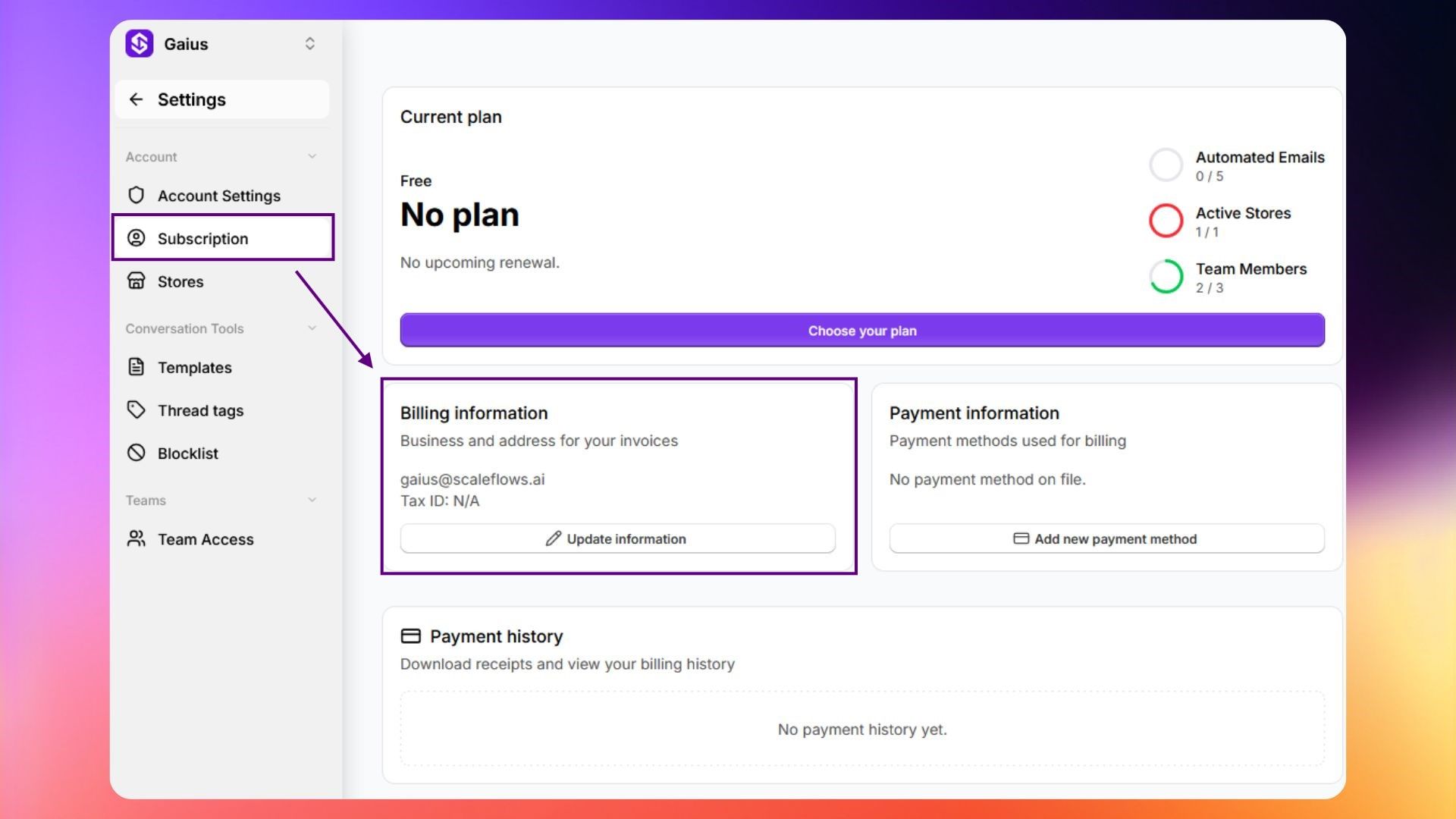
Add billing details

Step 3. Fill out the form, then click Save.
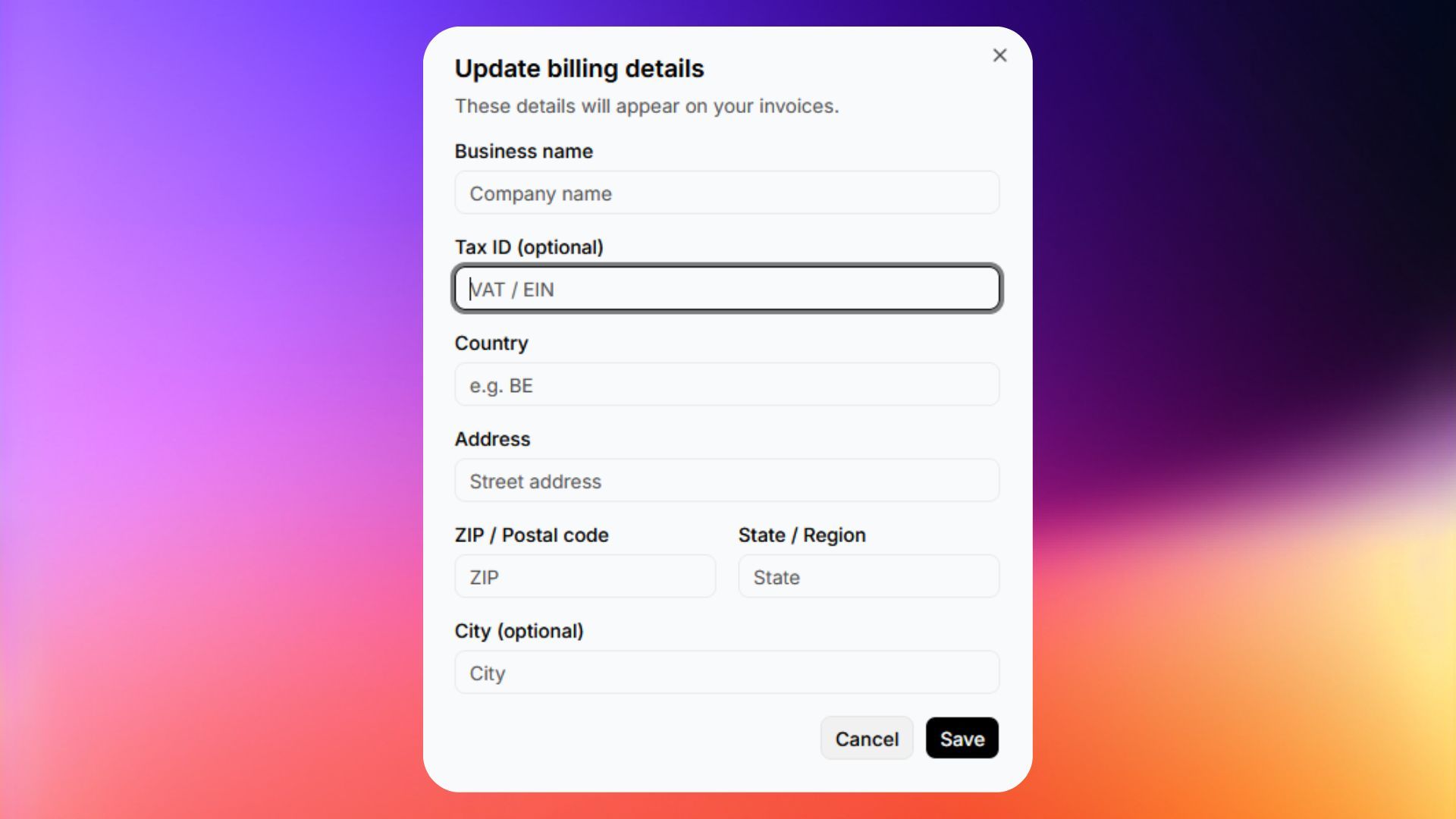
Fill out billing details

✅ Success: You have successfully updated your billing details. Refresh the page if needed.

Was this helpful?