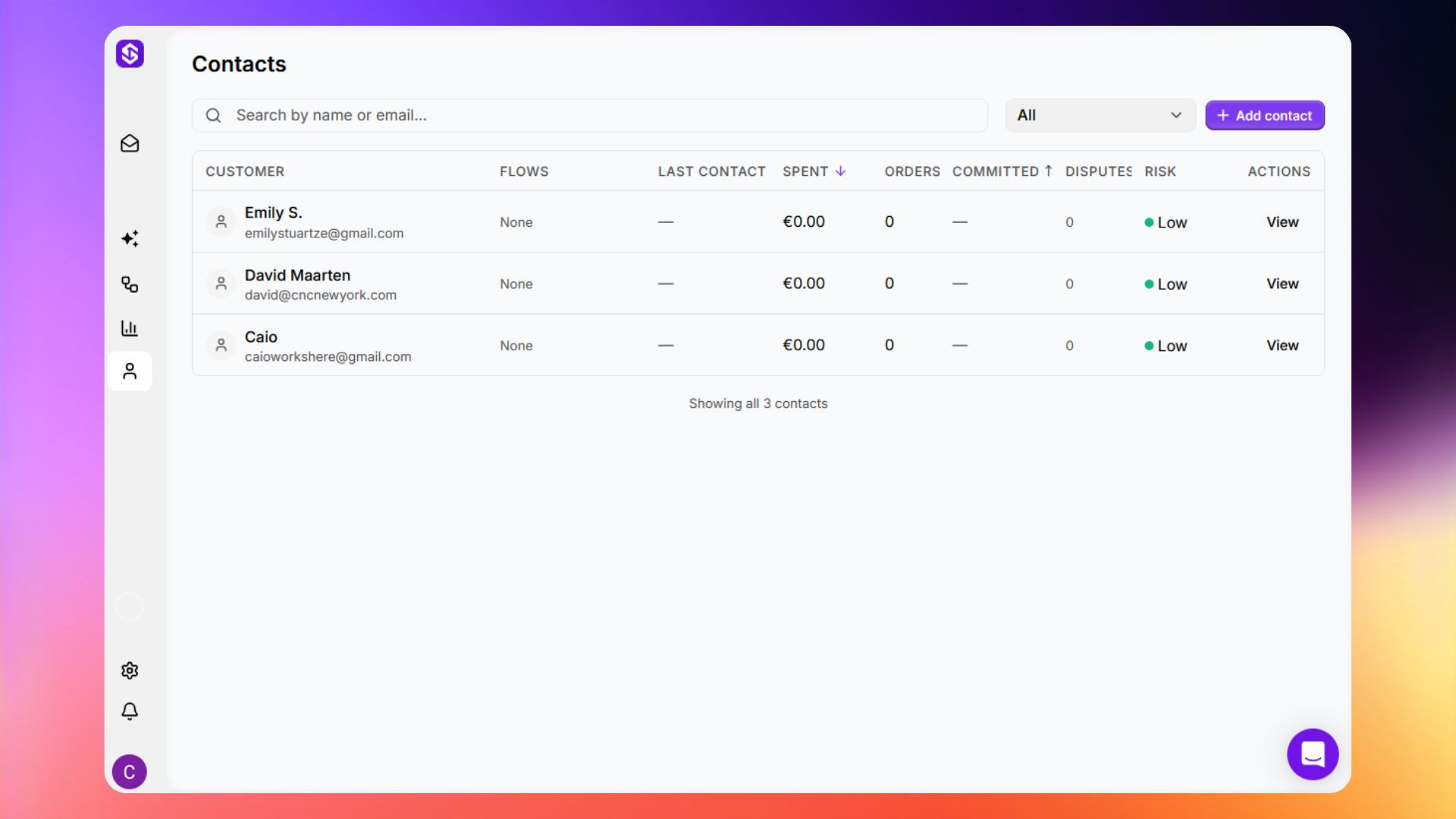
Contacts
Browse and manage your full customer directory, automatically built from every conversation ScaleFlows handles.
Written By ScaleFlows Team
Last updated 22 days ago
Step 1. Go to Contacts in the left sidebar.
Step 2. Your customer directory is automatically populated from conversations.
💡 Tip: Use the at-risk and dispute filters regularly. These surface customers that may need direct outreach and prioritized attention.